3 easy steps to create your Online Courses platform

  • Course content creation (editor) in Courses app for Shopify

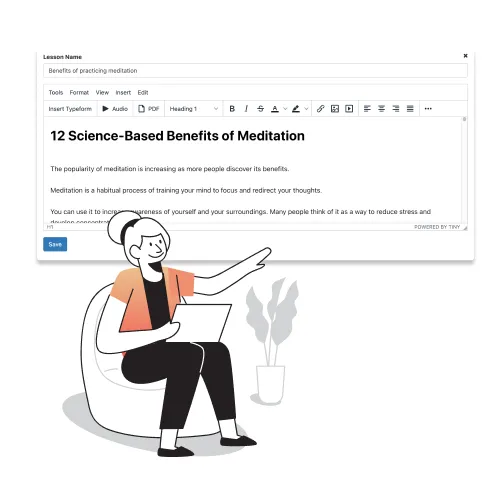
    Create course content

    Use simple and convenient interface with rich text editor for adding and editing lessons

  • Style courses as you like

    Choose accent color, add your logo and change other settings that relate to the appearance of the page

  • Preview & publish

    Publish your course and start selling digital products on Shopify

  • Drip content

  • Zoom live lessons

  • Certificates

  • Progress tracking

  • Limited time access

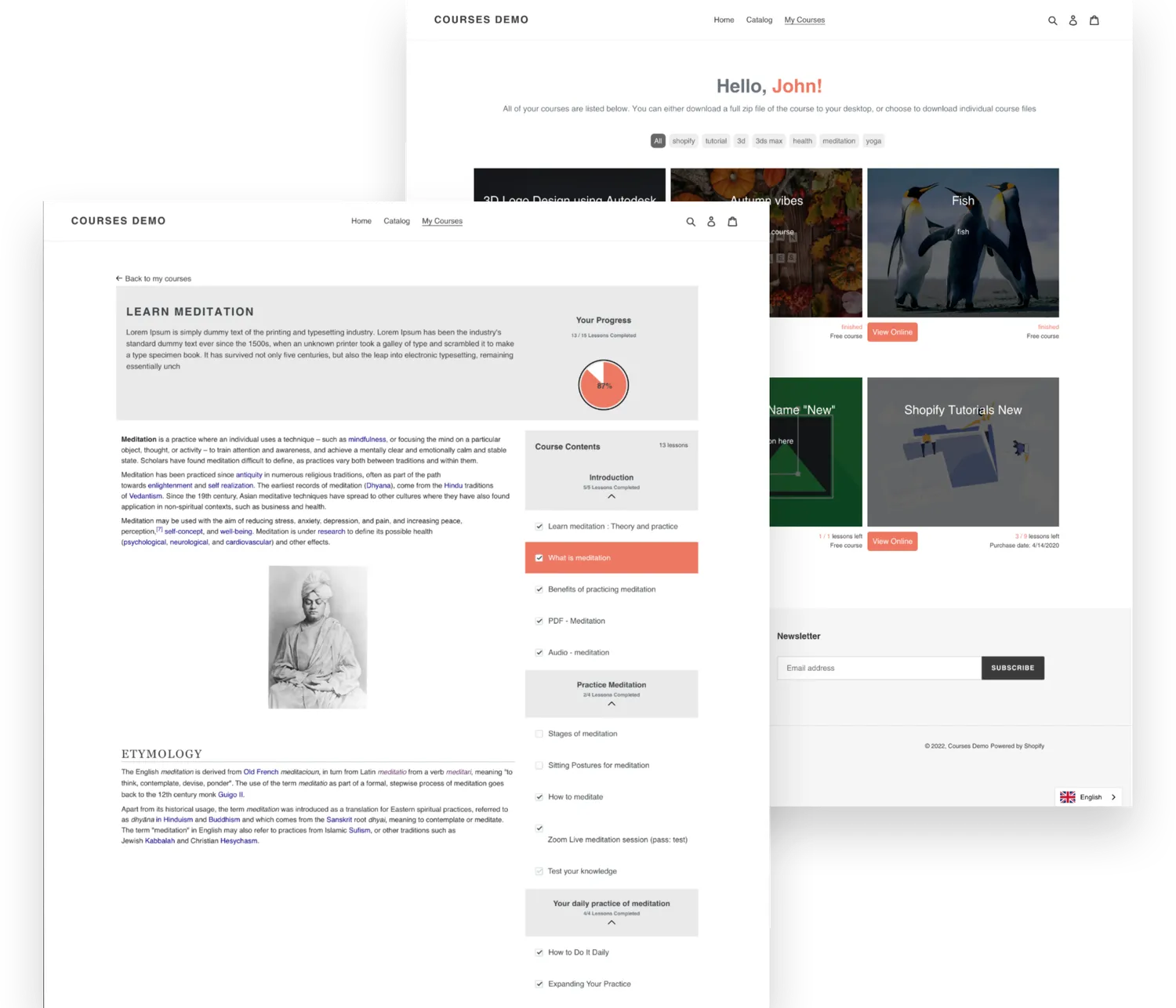
Pages of Courses app for Shopify. My courses and product/course page examples

Share your knowledge

Our application will help you to use Shopify as a learning / education platform (LMS) for selling online lessons, tutorials, webinars, memberships and manuals
Get started for free
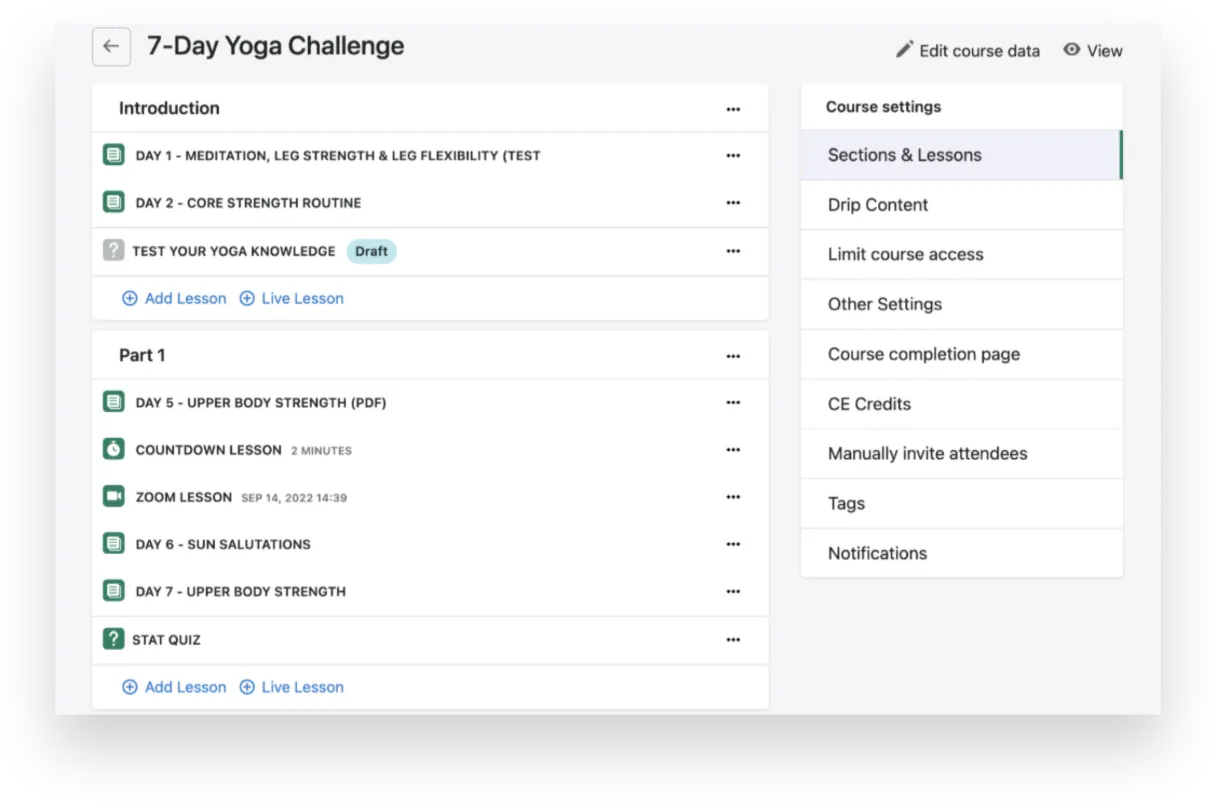
Courses Plus lesson types: text, audio, video, Zoom live webinars and quizzes

Different types of lessons

Text, audio and video, Zoom live webinars, quizzes
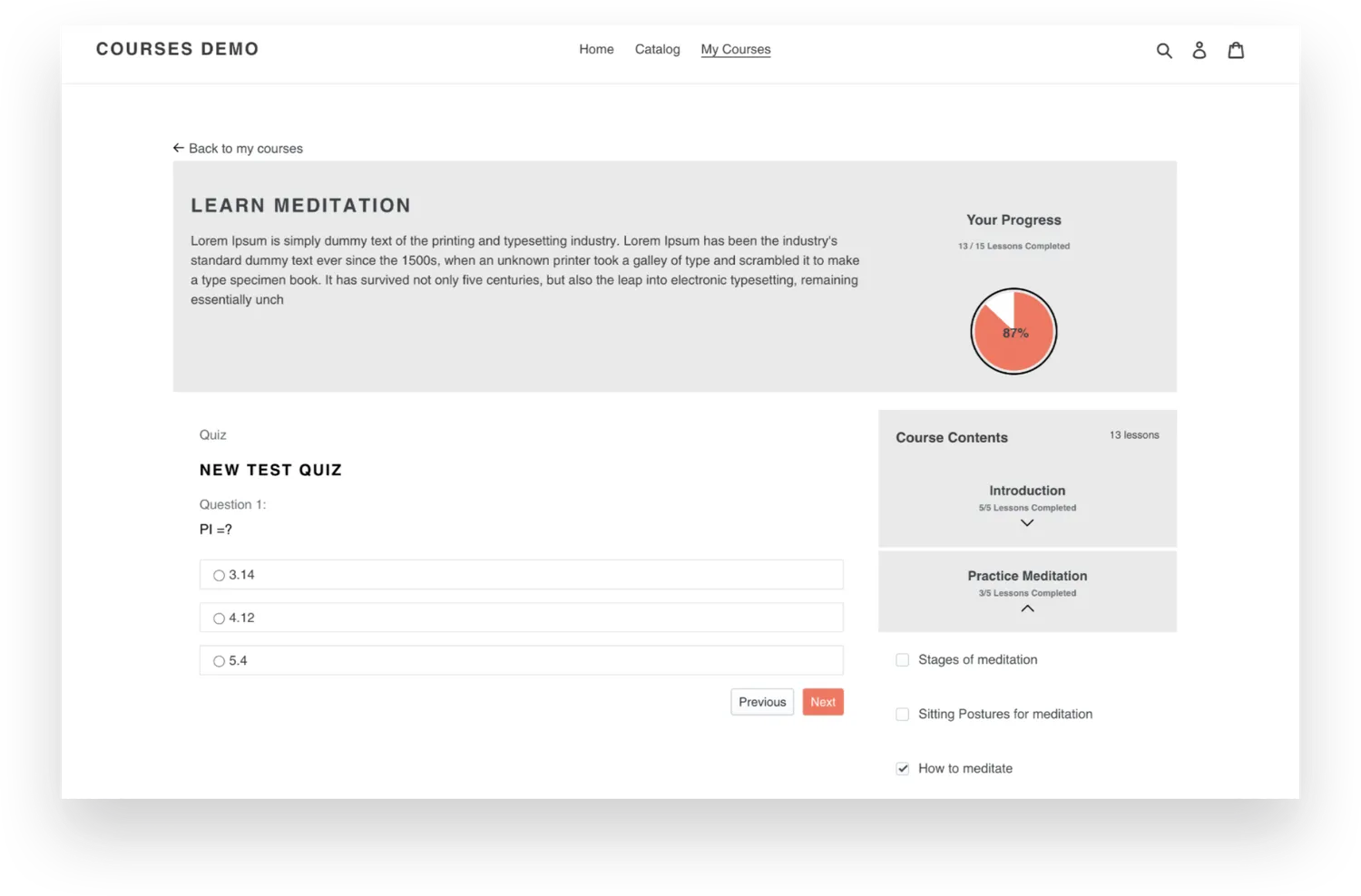
Screenshot of Courses app for Shopify that shows a course page with sections and lessons

Sections & Lessons

Group lessons into thematic sections for convenient use

Progress bar

Let your students track their progress by clicking

Quizzes

Create quizzes to test your students and track their knowledge
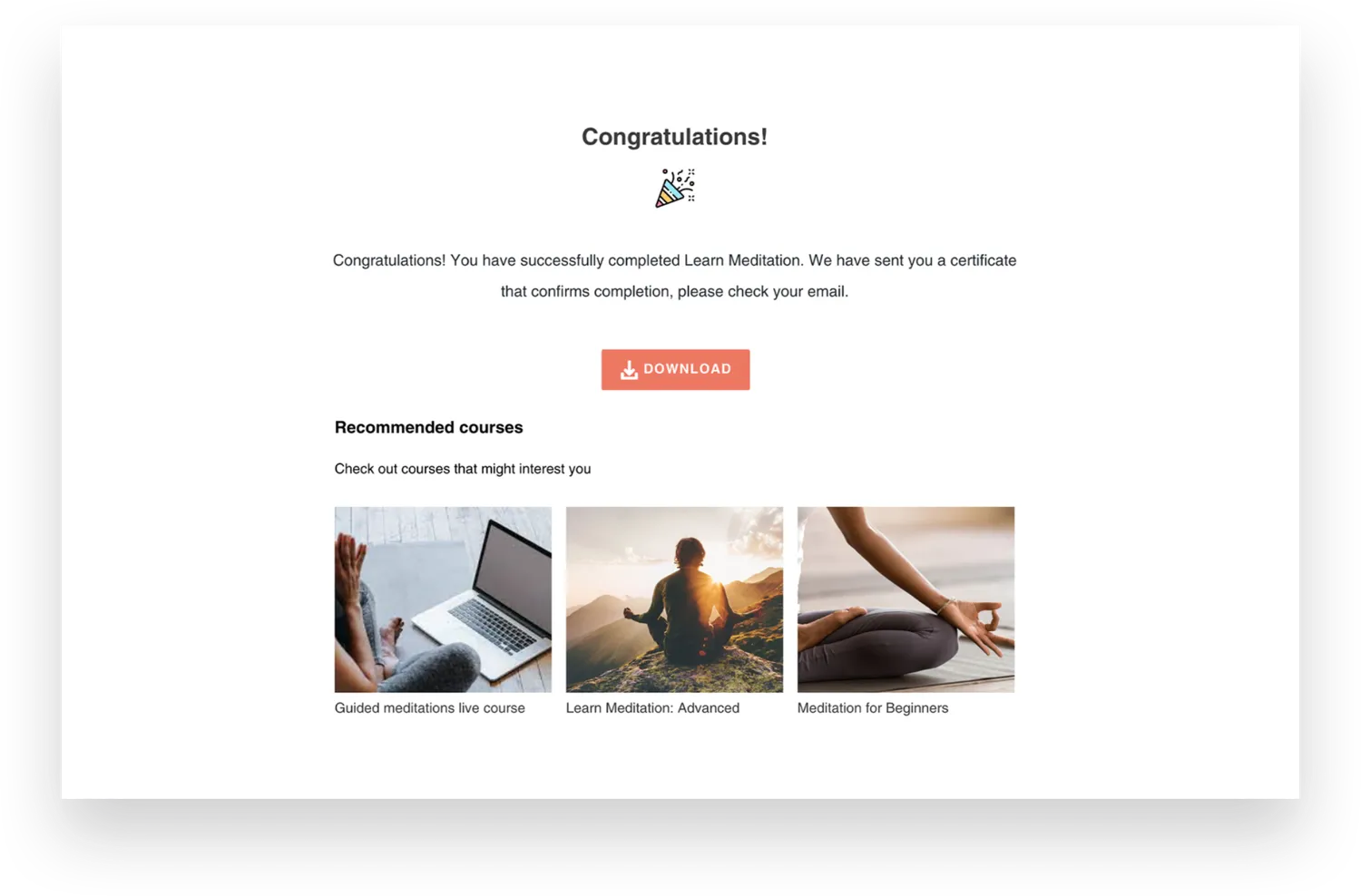
Screenshot of Courses app for Shopify that shows thank you page (after completion of courses)

Course completion page & recommended courses will help you to upsell your digital products

Customer Reviews

Explore

See how successful creators are bringing their courses to life.

  • Training

  • Sports

  • Music

  • Cali K9 online dog training course built with Courses Plus

    Modern dog training with Cali K9®

    Train your dog with world-renowned dog trainer Jas Leverette

    View course 
  • Octomoves rope flow online program built with Courses Plus

    Master rope flow with Octomoves

    Turn exercise into play. Rore flow 4 week program by Octomoves

    View course 
  • Rock guitar fundamentals online course by Nita Strauss

    Rock guitar fundamentals

    From ground zero to guitar hero by Nita Strauss

    View course 

Frequently asked questions

How do I sell online courses on Shopify?

Install Courses Plus from the Shopify App Store, build a course from video, audio, text, PDF and quiz lessons, style it to match your store and publish it. Each course is sold as a regular Shopify product through your own checkout. Read the full guide to selling courses on Shopify.

Is Courses Plus free?

Yes. Courses Plus has a free Demo plan with up to 5 lessons per store, unlimited students and video hosting. Paid plans start at $19.99 per month, add AI course generation and include a 7-day free trial. See all plans on the pricing page.

Can AI create a course or quizzes for me?

Yes. From the Basic plan, Courses Plus can generate a whole course with AI: regular lessons with text and images that you then edit in the built-in WYSIWYG editor. Quizzes are created separately: manually from the Professional plan, or with AI quiz generation on the Enterprise plan.

Can I import SCORM courses into Shopify?

Yes. Courses Plus supports SCORM import on every plan, so you can bring existing SCORM packages into your Shopify store and sell them next to courses you build in the editor.

Where do my students take the course?

Inside your own Shopify store. After purchase, the course opens on the Courses Plus page of your store, with lesson navigation, a personal dashboard and progress tracking. Paid courses require students to log in to their Shopify customer account with the email they used at checkout, so no separate learning platform account is needed.